eTime 3.3
Version 3.3 introduces passwordless passkey sign-in and the digital service report: work description and signatures from fitter and customer right on the device, sent to the customer as a PDF.
+ New features
- Passwordless sign-in with a passkey – via fingerprint, face, device PIN or a security key, as an alternative to password and 2FA.
- Service report per time entry: work description, customer name and signatures from fitter and customer – finalise and send to the customer as a PDF.
🔒 Security
- Passkeys are tied to the person and cover all roles; a sent service report locks the time entry against later changes.
↑ Improvements
- DB migration page with a “Hide applied” toggle and only the test database preselected.
- The employee page remembers the selected day; the main page follows the month automatically.
eTime Terminal 2.0
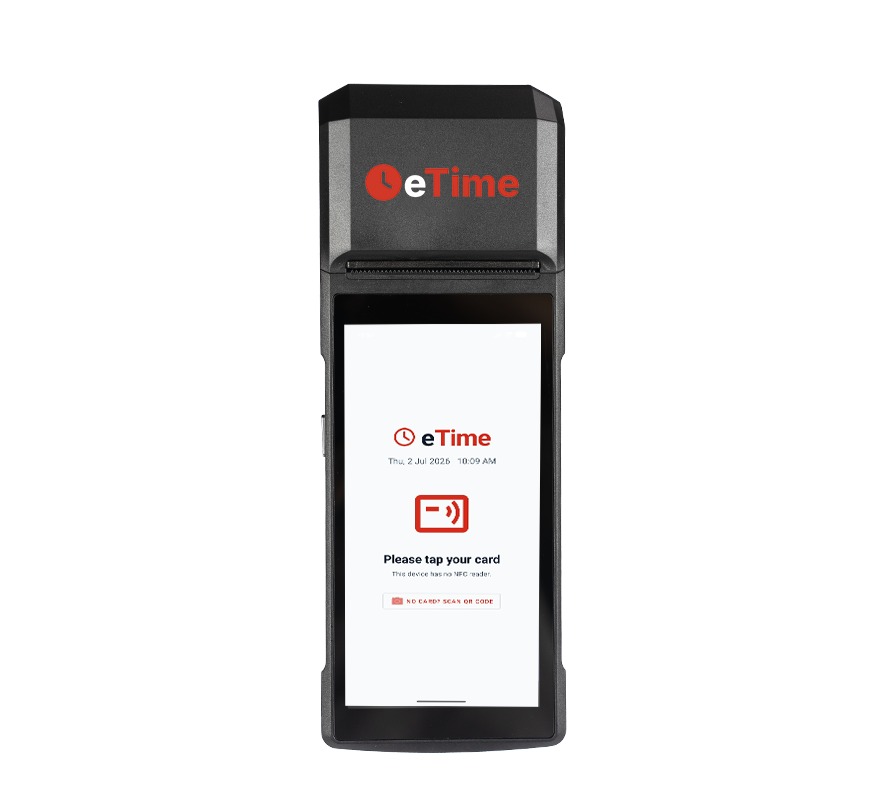
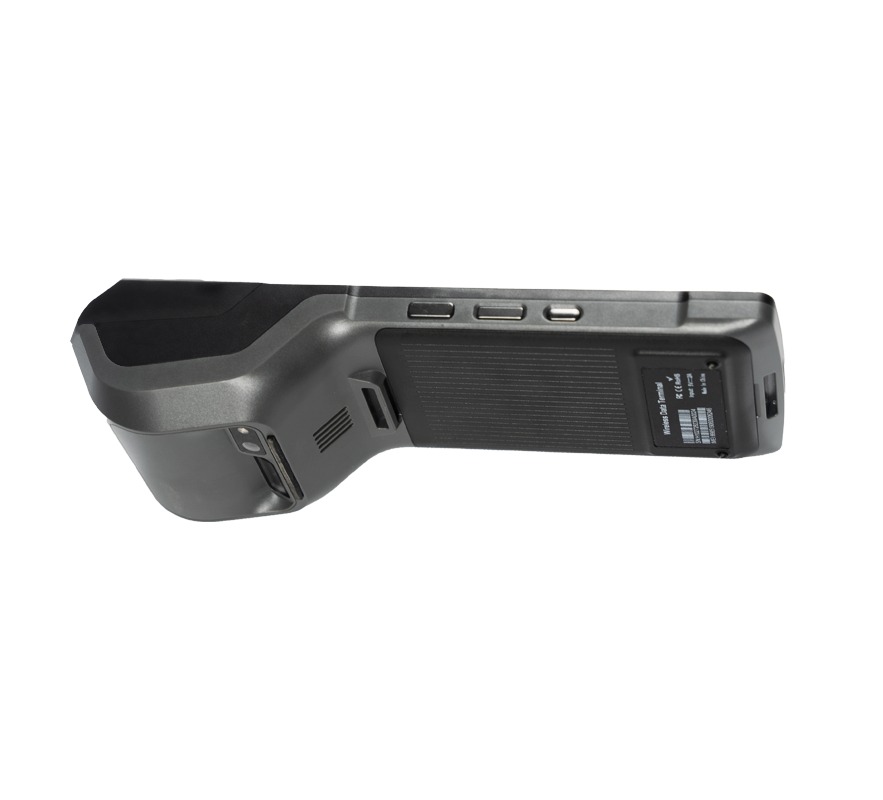
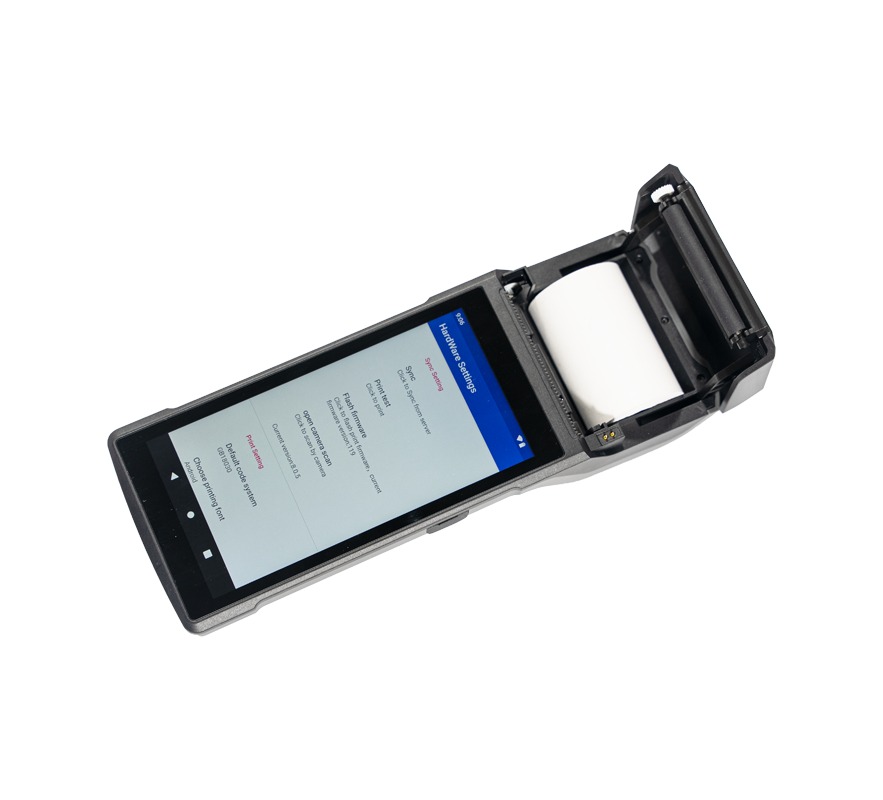
The new preconfigured NFC terminal is now available in the shop – tap the card, done. Buy once, no monthly rental.
Log in and order in the shop →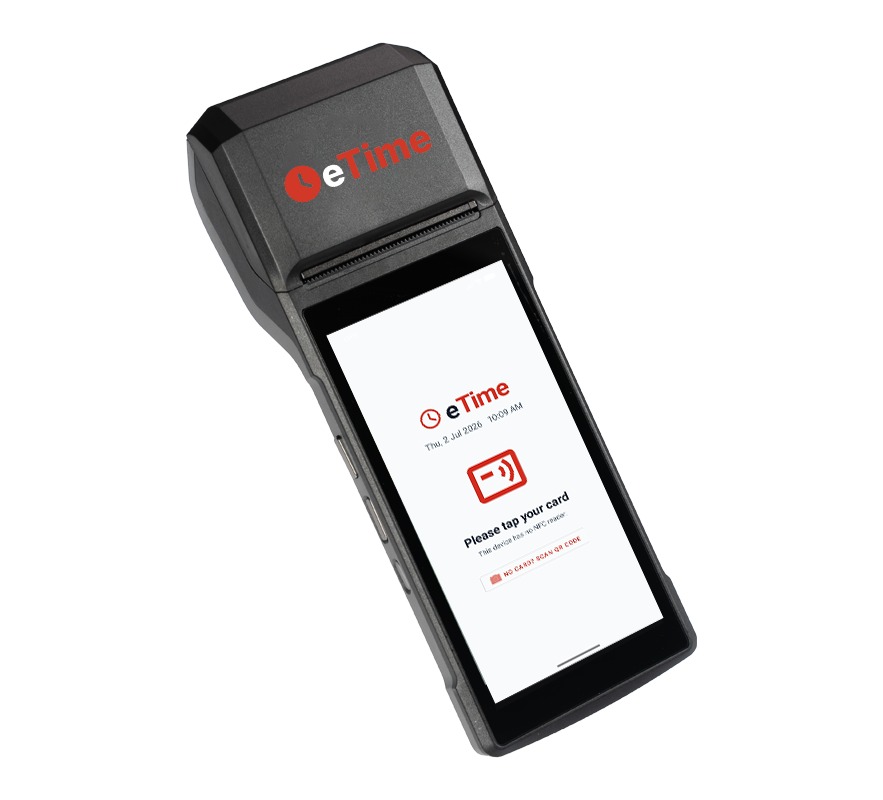
eTime 3.2
Version 3.2 introduces the new eTime Terminal: tap the NFC card and the employee is in their own area within seconds. Program cards right at the paired device, a kiosk mode locks the tablet to eTime – the app comes preinstalled on the terminal.
+ New features
- eTime Terminal: tap the NFC card → clocked in; without a card via QR code and the camera.
- Device pairing with a one-time code and an employee list – program NFC cards right at the terminal.
- QR and NFC login lead straight into the employee’s own, full-featured area – with times, vacation, overtime and more.
- Kiosk mode: device restricted to eTime, even after a reboot; app language switchable in the admin area.
🔒 Security
- Terminal pairing via a one-time pairing code and a hashed device token – no reliance on the MAC, no cross-tenant access.
- Two-factor also at the terminal; employee login cleanly separated from user and admin accounts.
↑ Improvements
- New shop product “eTime Terminal v2.0” – one-time purchase, no monthly rental; old hardware hidden.
- Release page with a news area and a terminal spotlight on the landing page.
- Polish to login redirects, camera autostart and translations across nine languages.
Android app 2.0
The brand-new native Android app is entering its beta phase: faster, with SSO login and offline capture. You can register for the beta now.
Register for the beta →eTime 3.1
Building on the major 3.0 platform release, version 3.1 adds new approval workflows, automated working‑time compliance and stronger data protection – plus noticeable polish to mobile handling, offline sync and the interactive documentation.
+ New features
- Time correction as self‑service: employees see their own daily entries and file a correction request right on the entry – the approver (manager or admin) is freely selectable, only one open request per entry.
- Rejection with a reason: when a time correction is declined, a reason can be recorded; the employee is notified by email.
- Monthly working‑time (ArbZG) review: once a month each manager receives a cross‑company overview of their team’s possible working‑time breaches from the previous month – per employee, with rest‑period boundary times.
- Android app beta test: an invitation to the closed testing phase via a footer link and a discreet popup, including a note on the 14‑day minimum test period.
🔒 Security
- Separation of duties (four‑eyes principle): an admin can no longer decide or record entries for their own account – neither account‑relevant absences nor the approval of their own leave requests.
- Company deletion with HR confirmation: after the withdrawal period, a deletion only takes effect once HR confirms it by token; within the period an immediate withdrawal remains possible.
- Unified security controls: the button to disable two‑factor authentication now spans the full width.
↑ Improvements
- Offline sync conflict reworked: a tokenised link now leads straight to the employee area – entries are no longer lost when editing.
- Dashboard data is converted from UTC to the company time zone.
- Mobile navigation: the clock icon is now the home link; logout and token pages lead to sign‑in instead of the landing page.
- Quieter background operation: the chat poll no longer shows a distracting error hint on brief connection drops.
- Landing‑page polish: header login and back‑to‑top in brand colours, live tour ready to start with a centred play button.
- Interactive live tour stabilised and extended; SSO now lists Google, Microsoft and Apple.
The major platform release: new architecture, AI assistant, internal chat, performance dashboard, nine languages, mobile app and a consistently modern UI.
★ Highlights
AI assistant
Configurable per company, keys encrypted in the database, one active provider per company.
Internal chat
Ephemeral 1:1 chat with a “Who’s online?“ list for admins, managers and employees.
Performance dashboard
Dedicated, pre-computed data model with its own cron for fast analytics.
Account carry-over
Remaining leave (all account types) and overtime into the next year – with approval.
Requests & workflows
Special leave, time correction and end time with two-step manager/HR approval.
9 languages
New: Bulgarian, Dutch, Polish, Portuguese – including emails & docs.
New UI
“Shell“ design system, new landing page and interactive docs with a live tour.
Mobile app
Android app with offline tracking & sync, SSO and iCal calendar subscription.
Operational safety
Maintenance mode, edit lock, change log, DB clone and migration system.
+ New features
Time tracking & accounts
- Second-precise start/end times with tooltip; night-shift logic with a next-day prompt.
- Time-correction and end-time requests with approval; breaks per daily grid.
- Unified overtime balance (actual/target + absences + bookings), rounded per day.
Leave
- Multiple leave-account types per company; carry-over to the next year (double-transfer safe).
- Special leave with mandatory documents and manager/HR approval; cover & annual planner.
Reporting & export
- Payroll data (times + holidays/absences as continued pay + target + weekend).
- Time sheet (XLSX + fixed CSV payroll format), Credit360 and working-hours-act check.
Platform & self-service
- AI assistant, chat, iCal subscription, security self-service (password/2FA).
- Partner program/lead acquisition, company network (switch company without logging in again).
↑ Improvements
- Date/time centralised via DateService (personal > company > language).
- Prices centralised via PriceService – no more hard-coded prices.
- Tables with automatic, content-based column width.
- Mobile: scrollable menu, usable input fields, edge-to-edge insets, pull-to-refresh.
▢ User interface
- New Shell design system incl. per-user UI colour theme and personal date format.
- New marketing landing page as the home page for logged-out visitors.
- Interactive documentation with an animated live tour.
- Many new screens: account carry-over, activity mapping, type management, prices, dashboard, migration and more.
⚙ Administration
- Migration page, DB clone (main → demo/docs) and data integrity check.
- Maintenance mode, edit lock, change log per role.
- Company AI, HR fields, working-hours-act limits, billing exemption; reminder crons.
⇄ API
- Central
AjaxRouter: uniform CSRF/auth/error handling, responses as{ok,data}/{ok,error}. - 22 new endpoint groups, mobile sync API, OpenID/SSO and signed URLs.
▤ Database
- New migration system (50 migrations,
DB_VERSION). - Central
configtable replaces various columns; new tables for chat, leave, edit lock, carry, AI and more. - Collation set to
utf8mb4_unicode_ci; extensions for network, iCal, HR, working-hours act, date format.
🔒 Security
- Custom Crypt encryption, central Auth class with role/kiosk logic & cross-tenant protection.
- Central CSRF check, output escaping, CSV/formula-injection protection.
- SSO (Google/Microsoft/Apple), Turnstile, brute-force protection, MD5→bcrypt upgrade.
✓ Bug fixes
- Regional company holiday is recognised company-wide again.
- Overtime grand total = sum of the per-day rounded values.
- SAP order import: correct UTF-8 special characters; various mobile fixes.
{ } Technical changes
- Architecture: monolith (
inc/*.inc+ singletons) → MVC with controllers, templates and services. - Email: Symfony Mailer with 9-language templates; languages from
.incto.js. - Legal texts consolidated in
legal.json; new test suite for calculation/security cores.
⚠ Breaking changes
- Old
inc/*.incpages and singleton classes have been removed. - DB migrations are mandatory; configuration via
etime.env+configtable. - Email via Symfony Mailer; AJAX contract changed (
{ok,data}/{ok,error}, paramf). - Language files
.inc→.js; marketing/legal pages renamed/merged.